
The Outage Was Real. The Held Messages Were Not.
On Thursday 12 November, Microsoft 365 had a bad day. Exchange Online mailboxes stopped responding for many organisations, and Teams, SharePoint, Copilot and other services that lean on email were caught up in it too. Microsoft said it had no evidence that the disruption was caused by an attack. Within a day, though, someone had found a way to use it as one.
On 13 November, Microsoft Threat Intelligence spotted a high-volume phishing campaign dressed up as a follow-up to the outage. The emails told recipients that messages had been held during the incident and would be deleted within 24 hours unless they clicked to restore them. Microsoft published its analysis on 16 November. It is a textbook example of how quickly attackers turn a shared, real experience into bait.
What happened during the outage?
According to SecurityWeek's reporting, the problems began on 12 November with Exchange Online mailboxes, initially in the Americas, and spread to features of many Microsoft 365 services that depend on email. Microsoft tracked the disruption in the admin centre under incident references EX1550543 and MO1550821. It said a recent network configuration change coincided with the start of the problem and began rolling it back. On its status page Microsoft stated: "At this time, we have no evidence of malicious activity associated with this incident."
For most people at work, the detail did not matter. What they knew was that email had been slow, missing or unavailable for hours. That shared memory is exactly what the phishing campaign set out to use.
What did the phishing emails look like?
Microsoft's write-up describes emails posing as Microsoft 365 service-health notifications. The subject line was the word "Outage" followed by a short random string such as "aF7vG6". The display name combined a three-letter, organisation-style prefix with "Outage Notification" or "Service Health", giving senders such as "MSF Outage Notification".
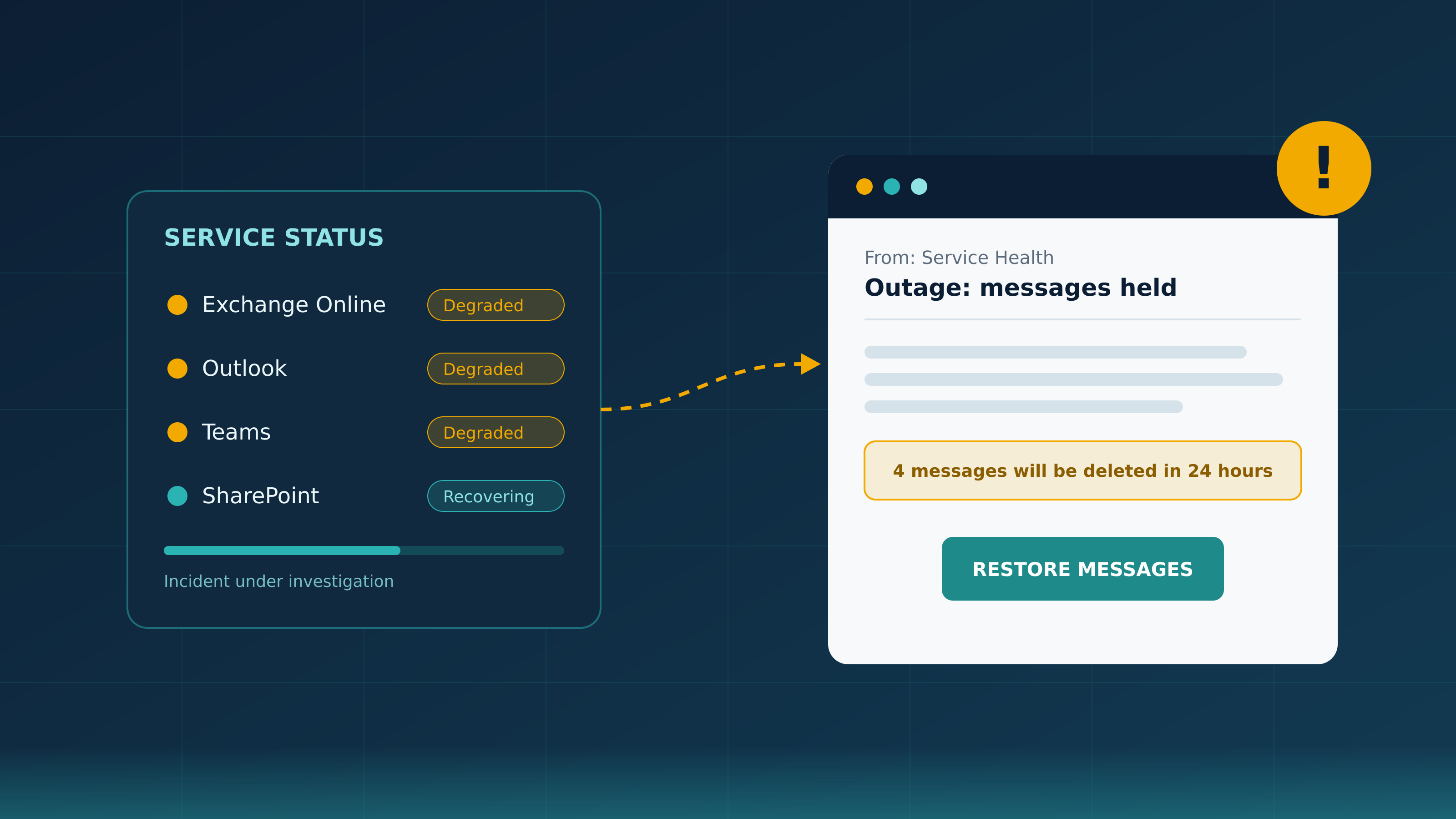
One sample referred to an Exchange Online incident on 12 November and said four messages were being held. Cyber Security News reported that the emails cited the genuine incident reference, EX1550543. The messages name-checked Exchange Online, Outlook, Teams, SharePoint and Copilot, and offered a single, prominent button reading "RESTORE MESSAGES" or, in other versions, "TAKE ACTION".

What was going on underneath?
The email itself was only the visible tip. Microsoft found that the messages came from domains with no connection to Microsoft, including moments-notice[.]com, planetmaison[.]com and newbooker[.]com. Each link was unique to the recipient and passed through tracking hosts on legitimate bulk email delivery infrastructure, including SendGrid, before redirecting to a site on an unrelated domain, mostly reallifeaccounting[.]com, with some samples using outagefixed[.]sbs or outagerestored[.]sbs. SendGrid's infrastructure was abused here, not at fault, and Microsoft specifically advises against blocking shared delivery services wholesale because of one campaign.
The message body also contained a fake email conversation positioned so the recipient would not see it. Microsoft describes this as an apparent attempt to get past mail filters, padding the message with ordinary-looking text that a scanner reads but a person never does.
Some precision matters here. Microsoft observed no attachments, QR codes or malware. It assesses the activity as likely credential phishing, but its write-up does not confirm that passwords were captured. It says Defender for Office 365 blocks or quarantines these messages and that it had "not observed any indicators of compromise from this attack."
Why does an outage make such good bait?
Most phishing has to persuade someone that a fictional problem is real. This campaign skipped that step. The outage happened, people experienced it, and many had already wondered whether they had missed something important. An email that says "some of your messages were held" does not ask the reader to believe anything new. It confirms a worry they already had.
The request also fits the situation. Recovering mail after an incident is the kind of thing an IT team might plausibly ask for, and a 24-hour deletion deadline makes waiting feel risky. When people click on a message like this, it is usually because it was built carefully from the truth, not because they were careless. That is why the response has to go beyond telling staff to "be more vigilant".
Big public incidents are regularly followed by themed phishing. We have written before about how often Microsoft is the brand of choice for impersonation. An outage hands attackers a fresh, believable reason to use it.
How can people tell the difference?
Microsoft's own guidance gives the clearest test. It advises organisations to tell users that legitimate service-health messages "do not direct them to non-Microsoft domains to recover held mail." If an outage email wants you to sign in somewhere to get your messages back, treat it as suspect.
Microsoft publishes service health in the Microsoft 365 admin centre, which is aimed at administrators. So a personal email to an ordinary member of staff, asking them to act on a service incident, is unusual in itself. The safest habit is simple. Do not use the button. If you are worried about missing mail, ask your IT team through a channel you already know, or check your mailbox directly in the usual way.
What should organisations do now?
Microsoft's recommendations, alongside some sensible preparation for the next incident, include the following:
- Search mail logs for the sender domains, the "Outage" subject pattern, the "Outage Notification" and "Service Health" display names, and the tracking hosts Microsoft lists, then remove any delivered copies.
- Identify anyone who clicked and review proxy, click and endpoint logs. For accounts that may have been exposed, reset passwords, revoke sessions and refresh tokens, check MFA registrations, and review sign-ins, OAuth consents, inbox and forwarding rules, and delegate permissions.
- Block or closely monitor the landing domains Microsoft names, rather than broad blocks on shared email delivery services.
- Move towards phishing-resistant MFA, such as passkeys or security keys. A password or one-time code typed into a fake page can be reused by an attacker, while these methods are tied to the genuine sign-in site.
- Keep Safe Links, Safe Attachments and zero-hour auto purge switched on so that messages identified as malicious after delivery are pulled back out of inboxes.
- Agree in advance how IT will communicate during an outage, ideally through a channel that does not depend on email, and tell staff now that IT will never ask them to restore mail through a link.
- When the next major outage happens, send a short reminder the same day. Attackers moved within 24 hours this time, so the warning needs to arrive just as fast.
- Make reporting easy and thank people who use it. A quick report of one suspicious "held messages" email can help the security team find and remove every other copy.
The bottom line
The 12 November outage was not an attack, but it was followed by one almost immediately. That pattern will repeat, with the next cloud outage, the next major breach in the news, or the next widely felt disruption. The organisations that cope best are the ones that have already told their people what a genuine incident message looks like and where to check, before anyone is under pressure to click.
Phishing Tackle offers the tools businesses need to strengthen their human risk strategies, with multi-platform testing, real-time behavioural insights, and actionable data to keep your organisation ahead of modern cyber threats.
Contact us today to learn how Phishing Tackle can help safeguard your organisation from the growing array of cyber risks.
